

Review PDF Comments in Ulet on Mac

Open the existing comments before you respond to a reviewed PDF. A comment pin lets you match the note with its position on the page.
Find and inspect a note
Open the reviewed PDF in Ulet.
Go to the page with the comment and locate its note pin.
Click the pin to show the comment card. Read the note beside the page and check which passage it refers to.
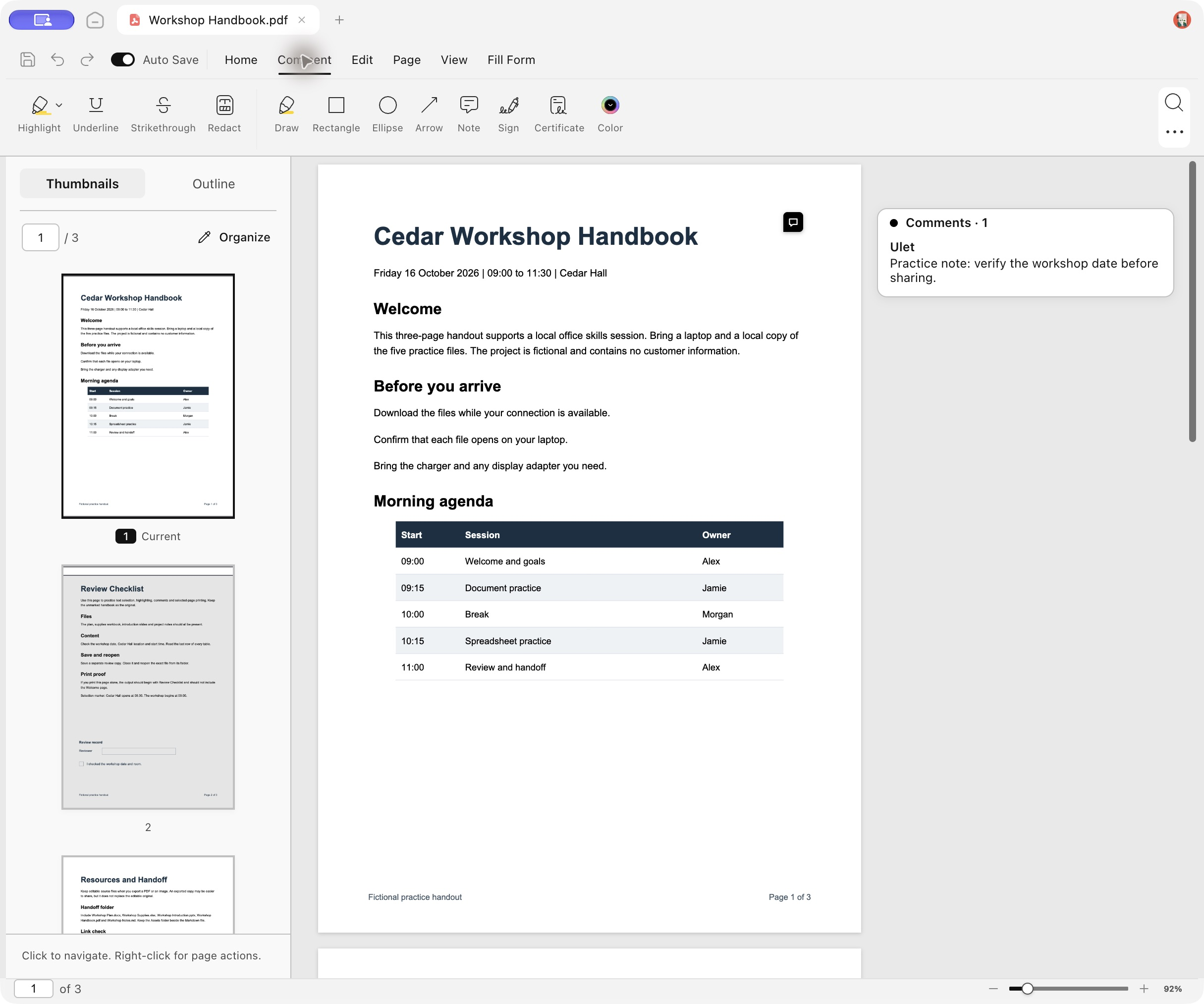
The English workshop handbook has a note pin beside its first-page title.
Confirm which note you are reading
Check that the text in the card matches the selected pin. In Workshop Handbook.pdf, the note reads “Practice note: verify the workshop date before sharing.” The first page shows the fictional event date, Friday 16 October 2026, so compare the note with that line. Move to another page and back if you need to confirm which page contains the comment.
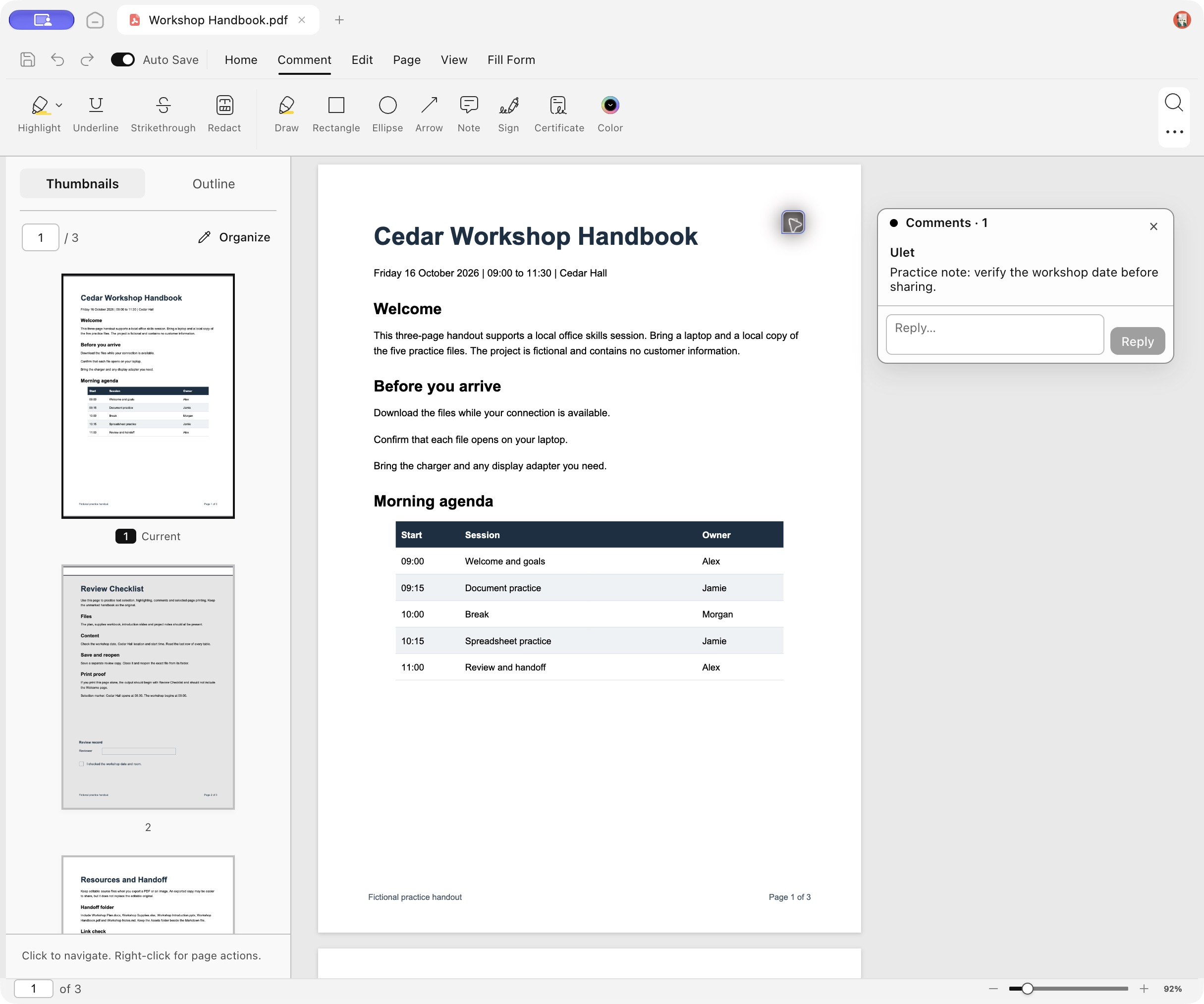
The opened comment card asks the reviewer to verify the workshop date before sharing.
Related guide jump to a specific PDF page.
Verified using Ulet 0.22.204 on Mac with a practice file. Screenshots show the Ulet editor.
