

Choose Ulet as the Default App for a File Type on Mac

Use Finder’s default-app setting when you want DOCX files to open in Ulet. Changing one file’s Open with setting and applying Change All have different scopes. This test uses two fresh copies of the workshop plan to check the difference.
Set the default for DOCX
Select Workshop Plan.docx in Finder and press Command+I.
Expand Open with. Note the current default so you can reverse the change. This Mac initially used Microsoft Word.
Choose Ulet in the app menu, then select Change All….
Read the confirmation. It must name Ulet and the .docx extension before you choose Continue.
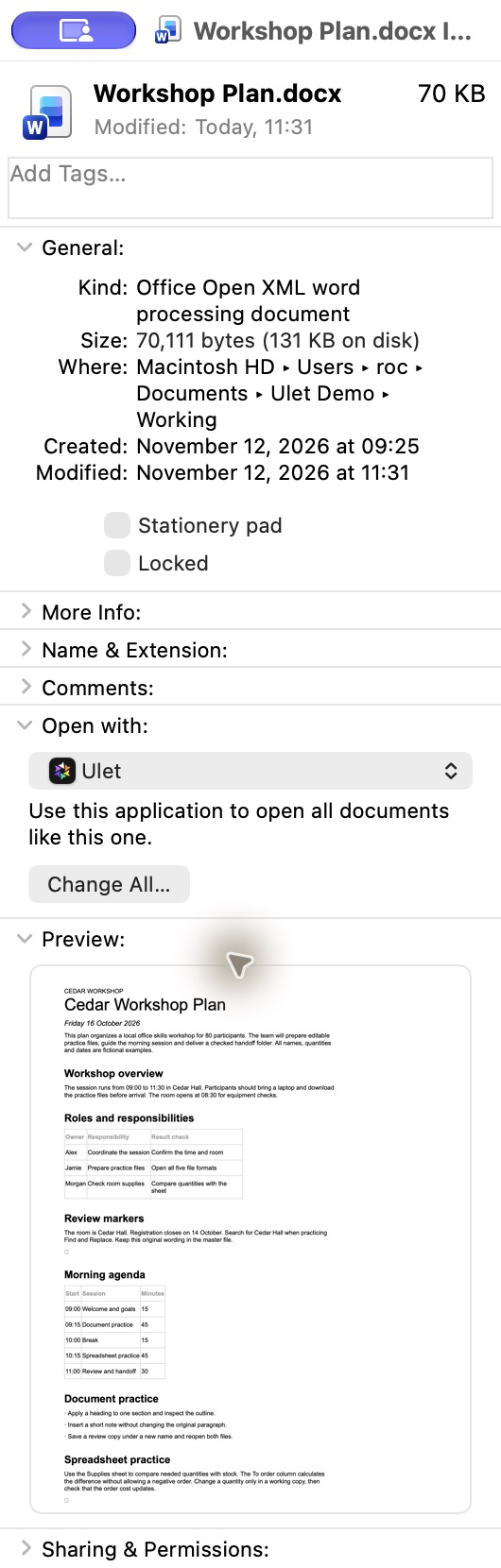
The actual English Finder Get Info window with Ulet selected for the workshop DOCX.
Check a second file
Close Get Info. Select a different file of the same type, Workshop Plan Second.docx, and press Command+O in Finder.
Confirm it opens in Ulet with the correct filename. In this example, the document displays Cedar Workshop Plan and the workshop agenda.
Open Get Info for the first file again. Open with should now show Ulet (default).
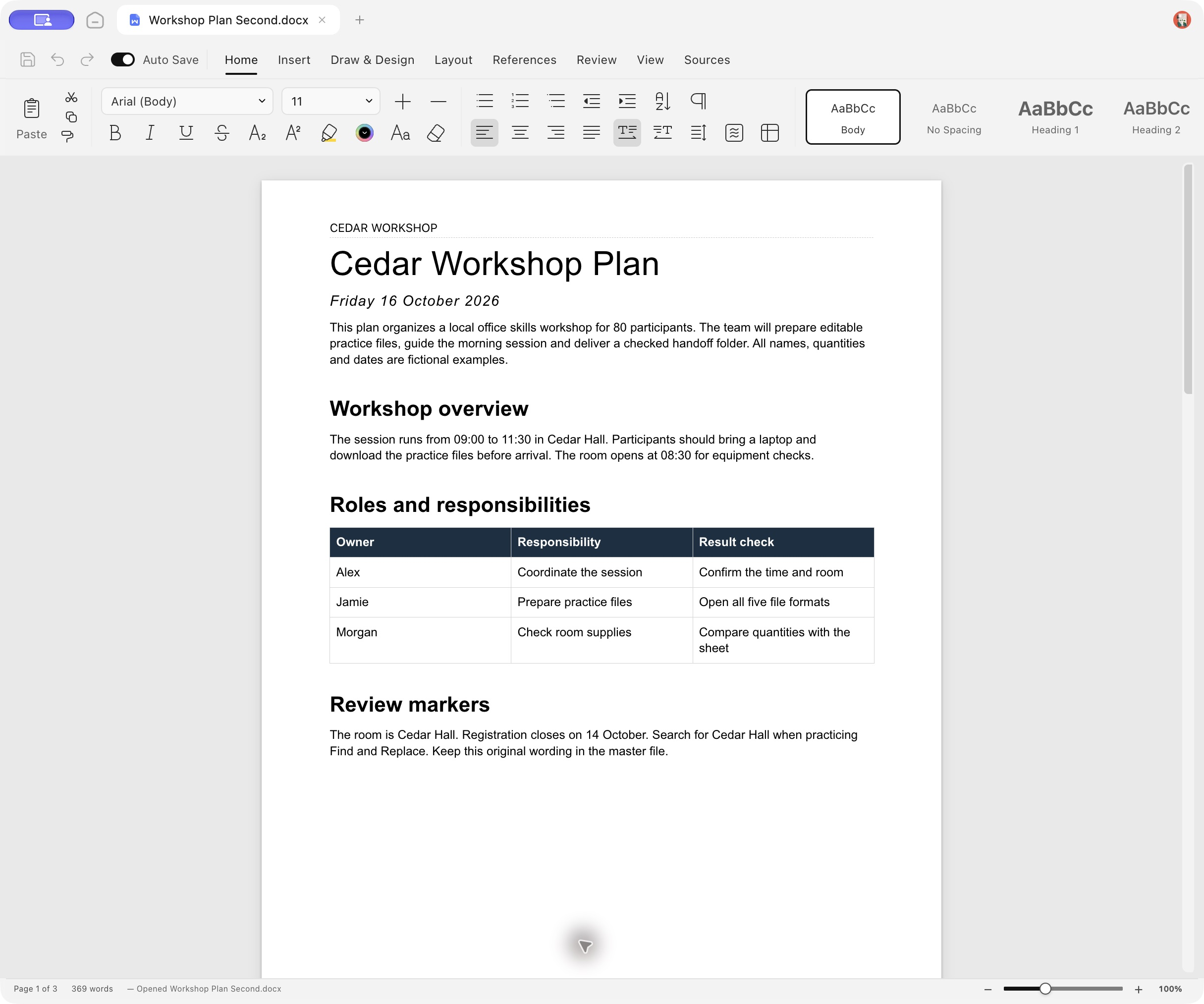
The second DOCX opened in Ulet through Finder’s default action.
Restore the previous app if needed
Return to Get Info, choose the previous application under Open with, select Change All, and confirm .docx again. The test restored Microsoft Word afterward and verified it appeared as the default. Neither practice document was edited by changing this setting.
This change applies to .docx. Check other extensions individually; it does not set the default for spreadsheets, slides, PDF, or Markdown.
Related guide: open and save a DOCX on Mac.
Tested with Ulet 0.22.204 on Mac, real English Finder controls, and two copies of the fixed English Workshop Plan master.
