

Fix Broken Markdown Formatting in Ulet on Mac

A missing code fence can make the rest of a Markdown note look like code. In this workshop example, removing the closing fence after the five filenames swallows the Registration chart heading and its image. The repair is to restore that boundary, rather than reformat every affected line.
Find where the code block should end
Work on a copy of
Workshop Notes.md, with itsAssetsfolder alongside it.Choose View → Source. Find the opening
```textline above the list of filenames.Look immediately after
Workshop Notes.md, the last filename. A closing line containing only three backticks should be there. In this practice failure, that line is missing.Add the closing fence on its own line. Leave a blank line before
## Registration chart.Choose Update visual editor, then View → Visual editor.
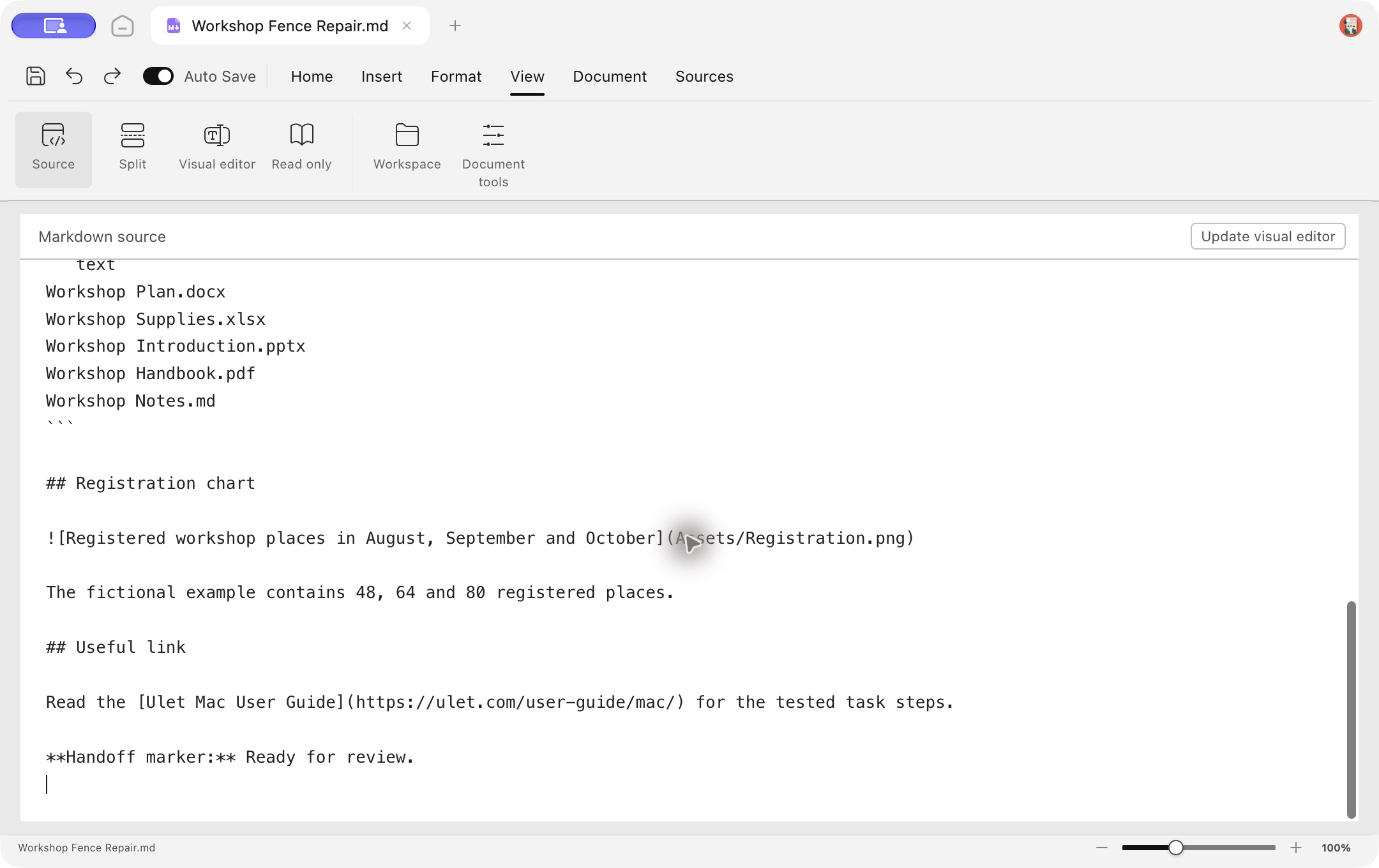
The restored closing fence separates the file list from the heading and image below it.
The boundary should read:
Workshop Notes.md
```

## Registration chart
The opening fence stays above the five filenames. Do not delete the image link below the heading or move the Assets folder as part of this syntax repair.
Save, reopen and inspect the result
Choose Document → Save as and save Workshop Fence Repair.md in the same Working folder. Close the tab, reopen that saved copy from Recent, and inspect the repaired section.
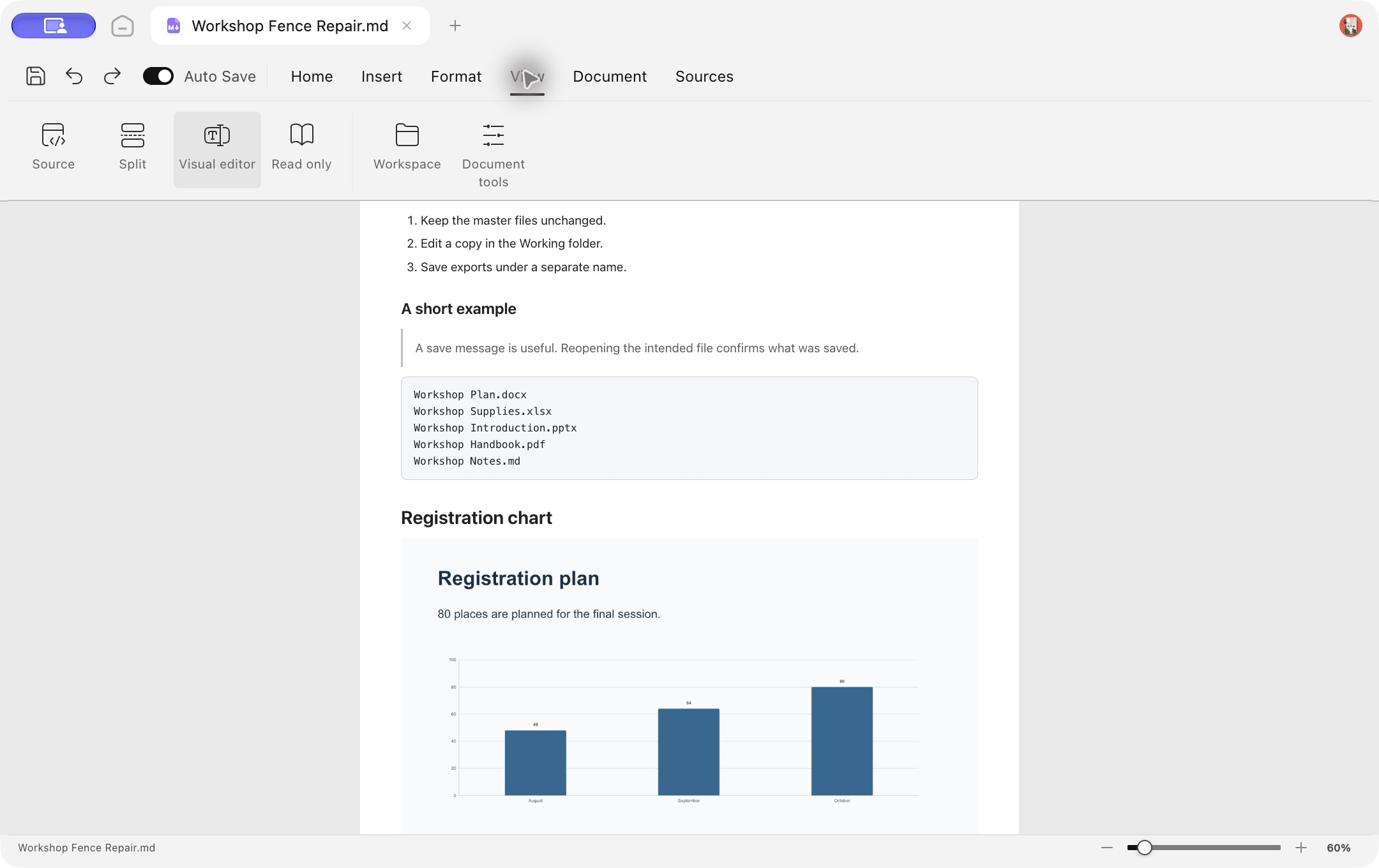
After reopening the saved repair, the code block, heading and chart render separately.
The five filenames remain together inside the code block.
Registration chart renders as a heading outside the block.
The linked registration image renders beneath it; the fictional example has bars for 48, 64 and 80 places.
In Source, both the opening and closing fences are still present after reopening.
If the heading returns but the image does not
Check that Assets/Registration.png exists relative to the saved note. A corrected code fence cannot restore a missing image file. This walkthrough verifies one missing-fence case; unmatched emphasis marks or other formatting problems need their own syntax check.
Related guide: switch between Markdown editing and Source view.
Tested on 13 November 2026 in the English Mac development build of Ulet 0.22.204 (source revision a7edc226da1e). Screenshots are genuine captures from that build, using fictional English workshop files. Controls may differ in other builds.
