

Add Speaker Notes in Ulet on Mac

Put speaker cues in the Notes pane so they can be checked separately from the text on the slide.
Add a cue below a slide
In a fresh working copy of Workshop Introduction.pptx, select slide 3, Morning agenda.
If the pane is hidden, choose Notes on the bottom bar.
Type Ask Alex to confirm the 09:00 welcome before the session starts. in the pane, click outside it, and save the PPTX.
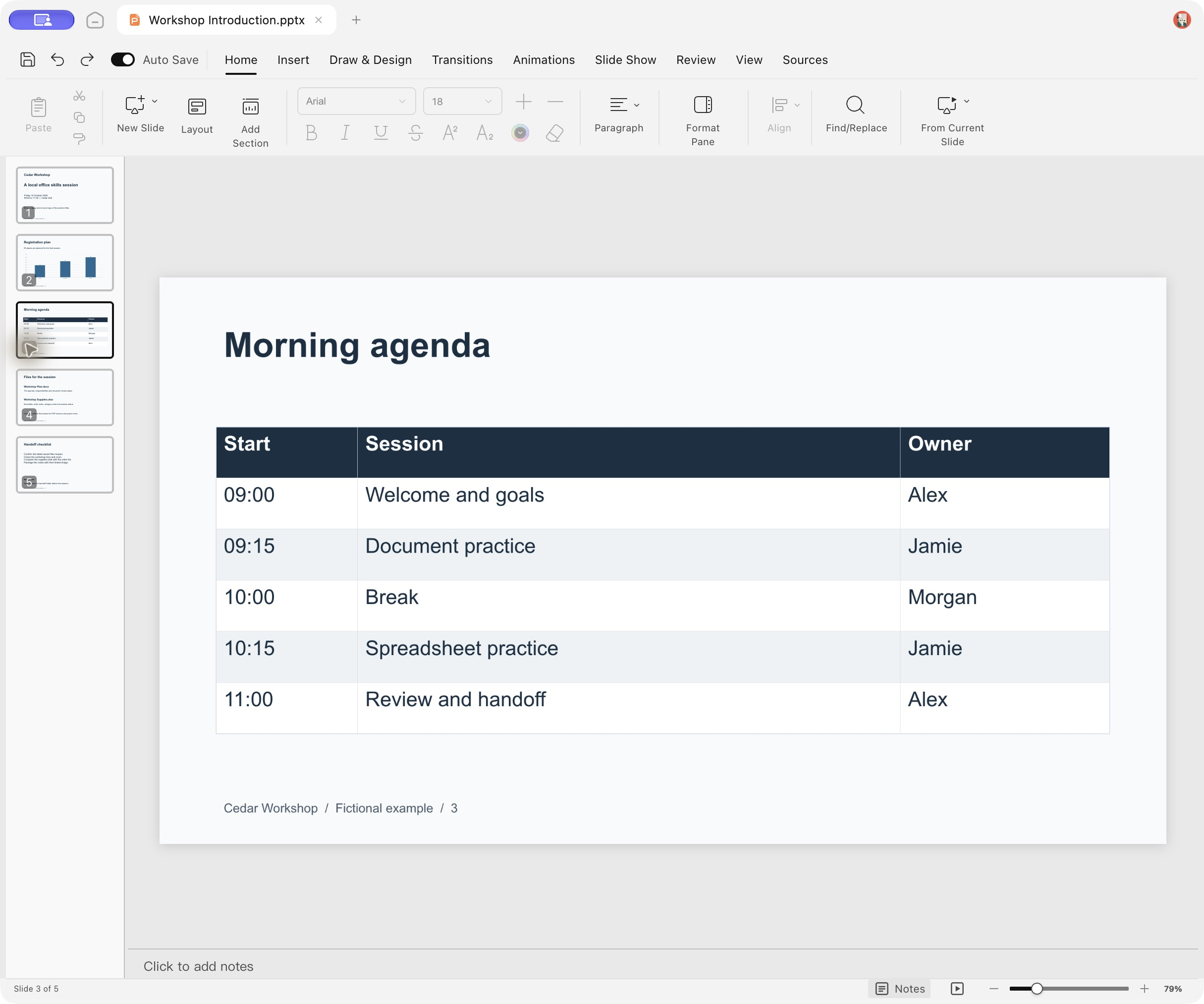
The Notes pane below the selected slide before editing the cue.
Verify the note belongs to the correct slide
Reopen the deck, select that slide, and open Notes. Confirm the cue is there. Select a different slide to make sure the cue was entered on the intended slide only.
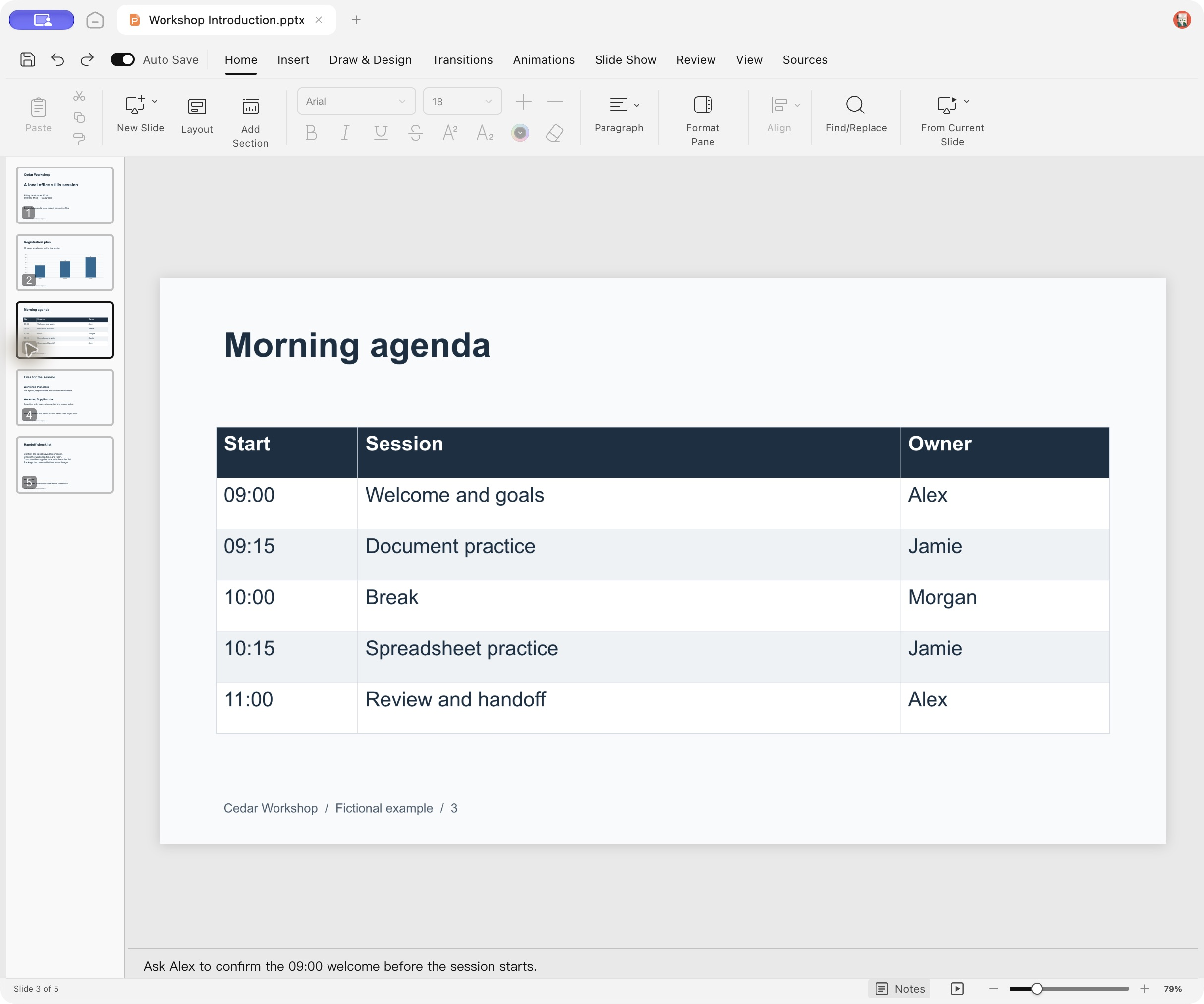
The Morning agenda slide reopened with its saved 09:00 welcome cue in Notes.
Related guide open and update a PPTX.
Verified in the distributed English Ulet 0.22.204 Mac app. The note was saved on slide 3, the file was closed and reopened, and adjacent slides did not contain this cue.
