
The entrance picture on your workshop slide shows the door but cuts off the start of the ramp. If the PPTX still contains the full embedded image, you can reveal the hidden area without replacing the picture. The screenshots use a fictional entrance illustration so the ramp start is easy to identify.
Expand the edge that hides the detail
Work in a copy of the deck. Select the picture in Ulet Slides, then choose Picture Tools → Crop. The shaded area outside the crop boundary shows the part of the embedded image that is currently hidden.
Drag the middle handle on the left crop edge outward toward the hidden ramp. Drag the crop handle itself, rather than the center of the picture.
Stop when the ramp start is visible. Leave the other edges alone unless they also hide a detail you need.
Press Enter to apply the crop.
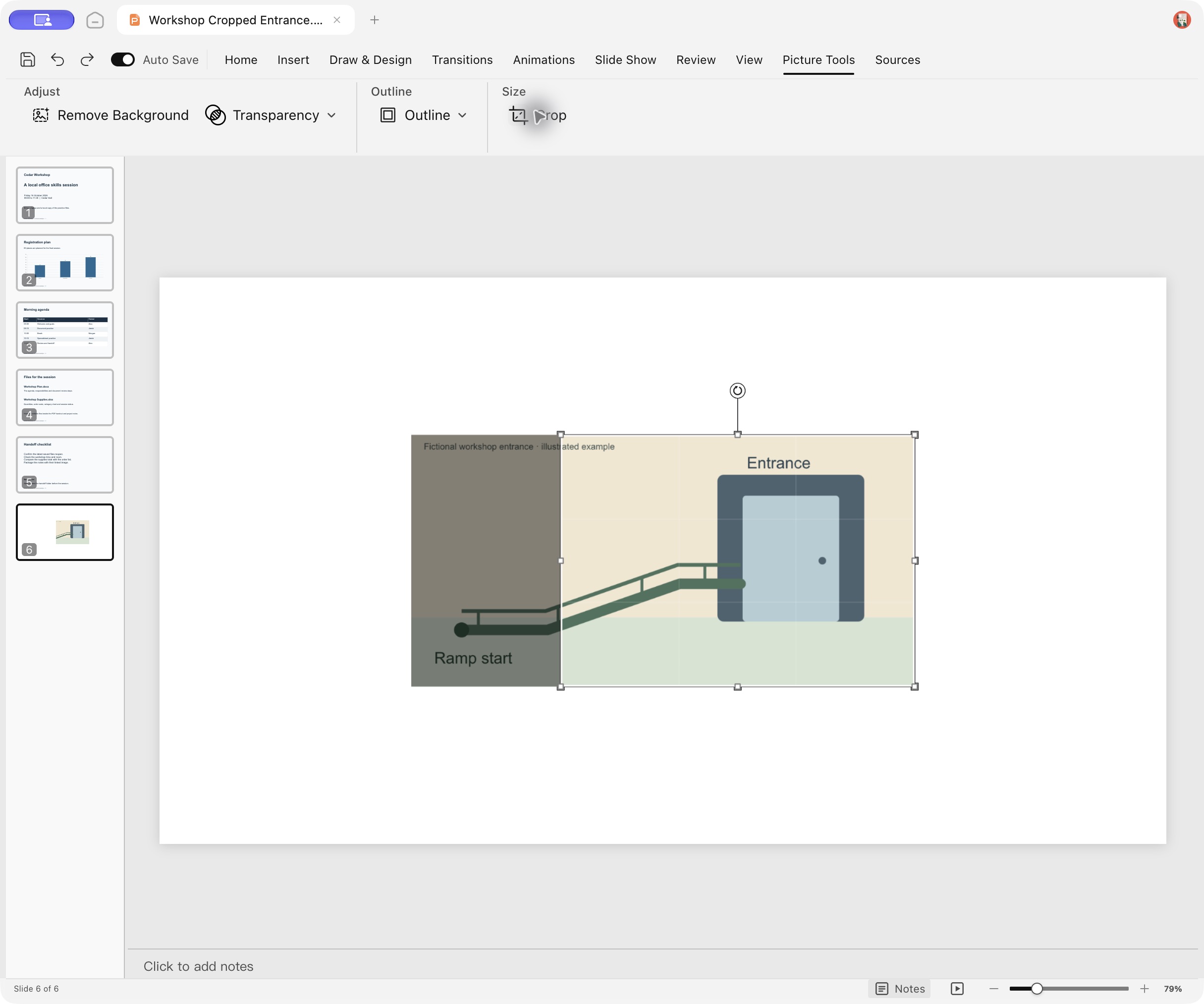
Actual English Ulet 0.22.204 on Mac. The picture inside the slide is a fictional entrance illustration; the surrounding editor is a real screenshot.
Check the wider frame before saving
The picture frame can grow leftward as you reveal more of the original image. Check that it stays on the slide and leaves room for any nearby caption or objects. If the missing detail is absent even at the full image bounds, inspect the original image file; a crop cannot recover pixels that are no longer embedded.
Reopen the saved PPTX
Use File → Save As… to keep a separate result, such as Workshop Restored Entrance.pptx. Close that file, reopen it from its folder or Recent File, and return to the affected slide. Check both the ramp start and the doorway, then inspect the surrounding layout.
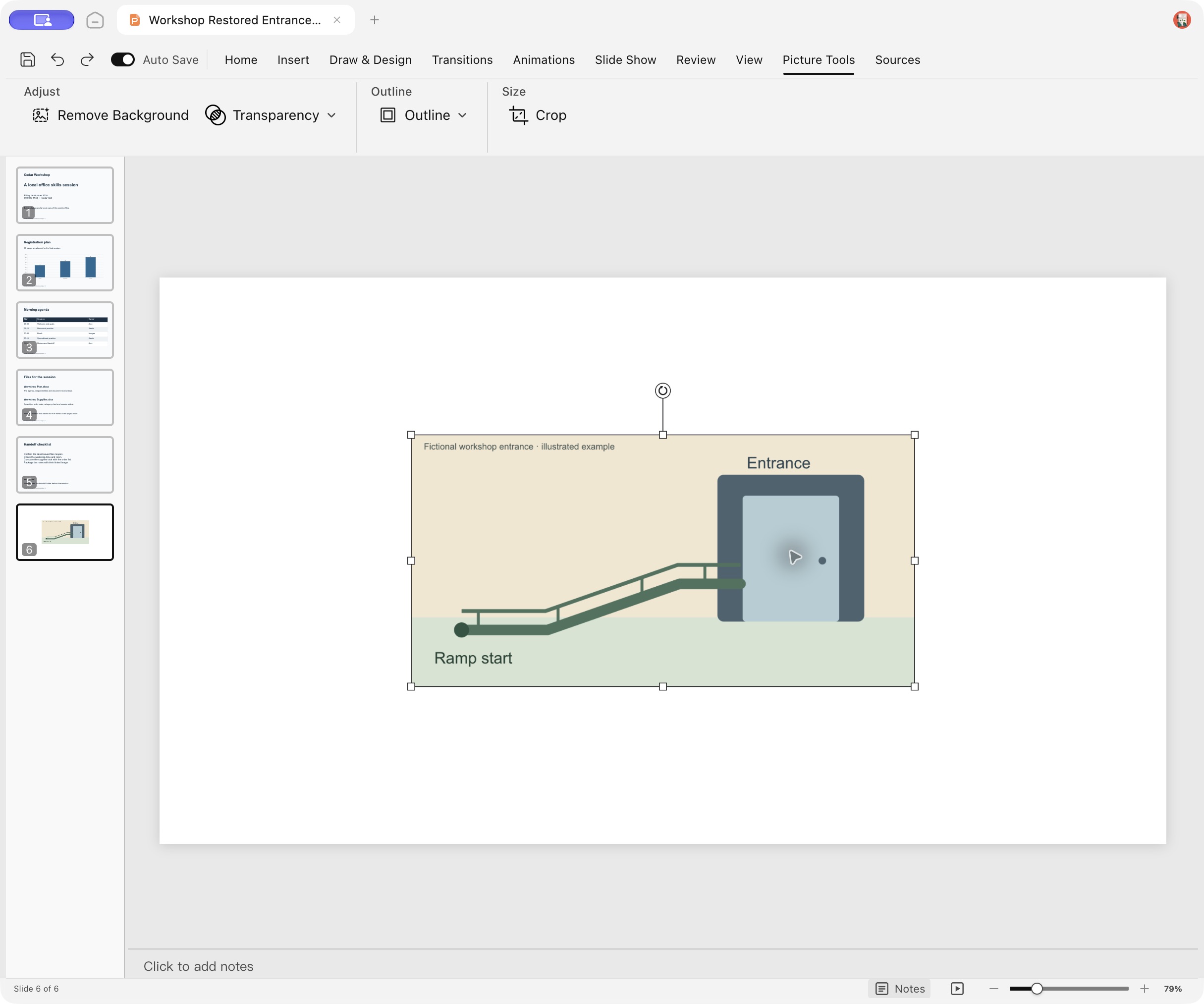
The reopened test deck shows the restored ramp start on slide 6. The embedded entrance illustration was retained when the crop changed.
For this Mac check, the cropped deck was saved and reopened before the left edge was restored. The restored copy was then saved and reopened again. Both files opened with six slides, and their embedded image bytes were unchanged.



