
The case pickup table still has a Pager column that the desk no longer uses. Remove the field from a working copy and confirm the case IDs still line up with their collection times.
Identify the column by its header
Check the cells under Pager in case the numbers are needed for a historical copy. In Ulet, right-click a cell under the Pager heading and choose Delete → Delete Column. The heading and all the values in that column should disappear.
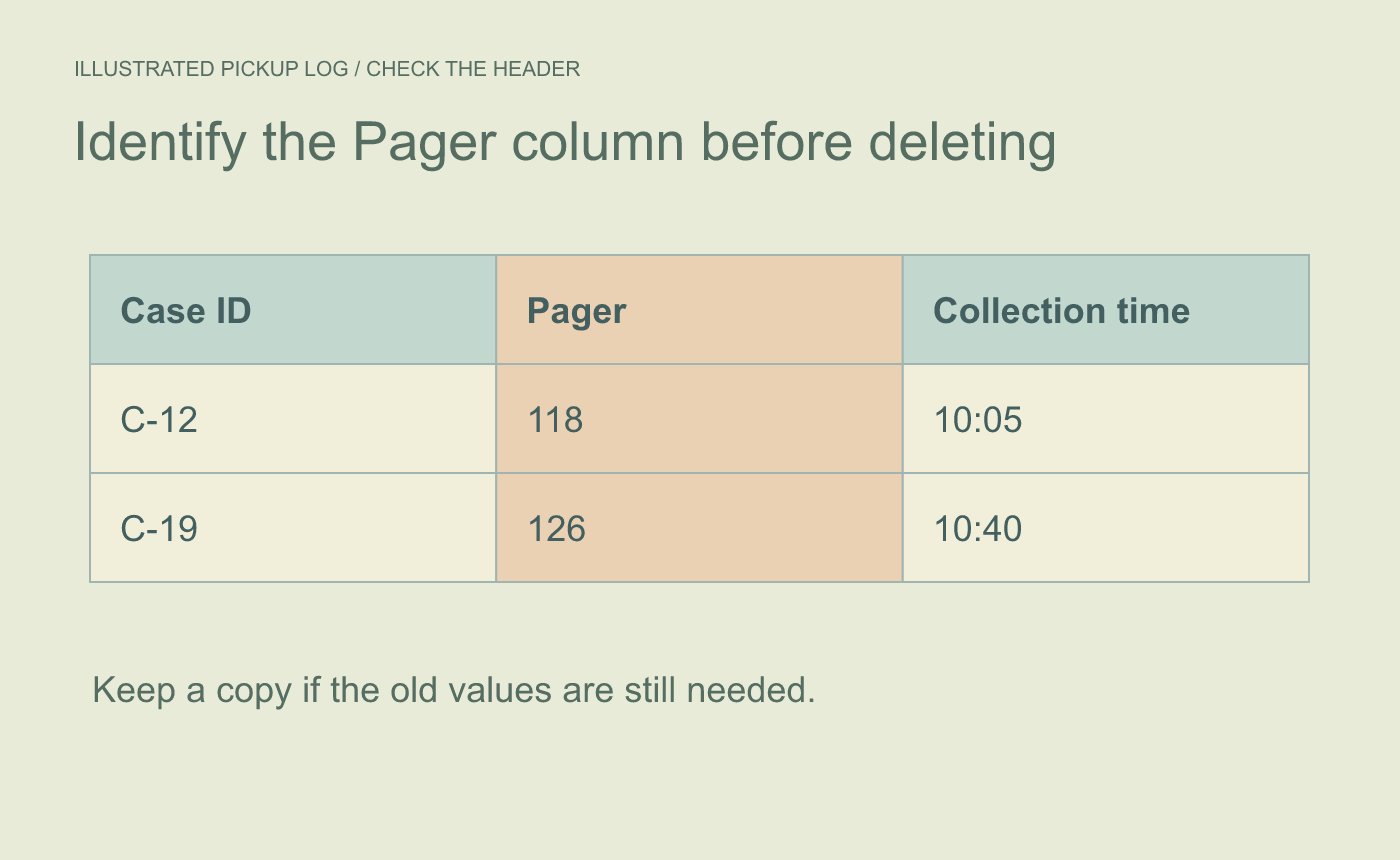
Illustrated column choice. Confirm the heading before deleting the column.
Read across the remaining records
Check that C-12 still reads 10:05 and C-19 still reads 10:40. If a merged cell makes it unclear which column was selected, undo and inspect the table before trying again. Check that the remaining headings and values have room in Page Layout.
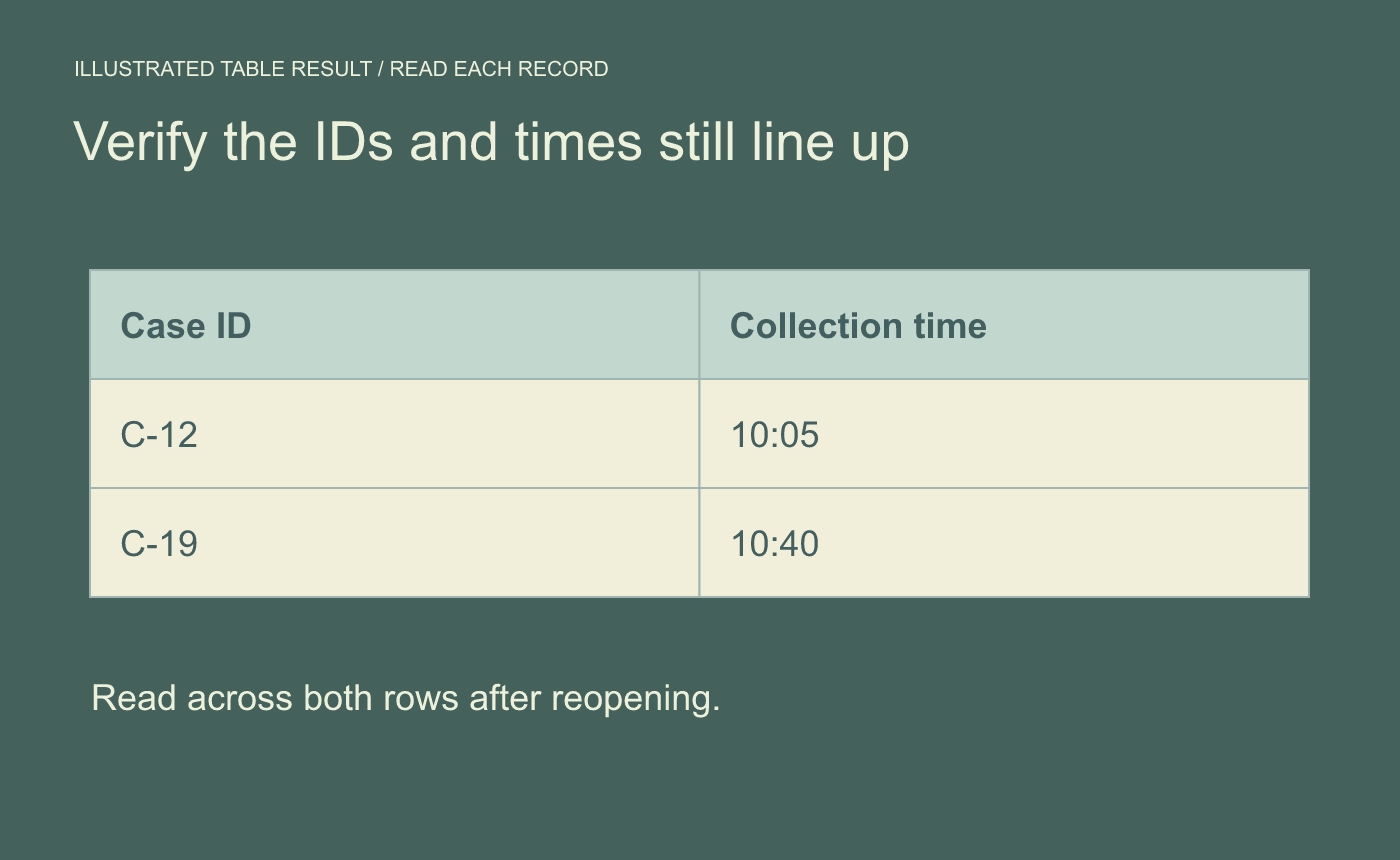
Illustrated row check. Read complete records from left to right after the deletion.
Save and reopen the DOCX. Confirm the retired field is gone and each remaining value still belongs to the right record.



